One employee record. From availability to payroll approval.
From scheduling the shift to running it.
FORNEBU Workforce does more than create schedules. It helps you understand employee availability and capability, build and publish the schedule, record the hours actually worked, review the timesheet, approve the period for payroll and distribute tips — supported by team communication, operational duties and structured feedback, without separating those into disconnected systems.
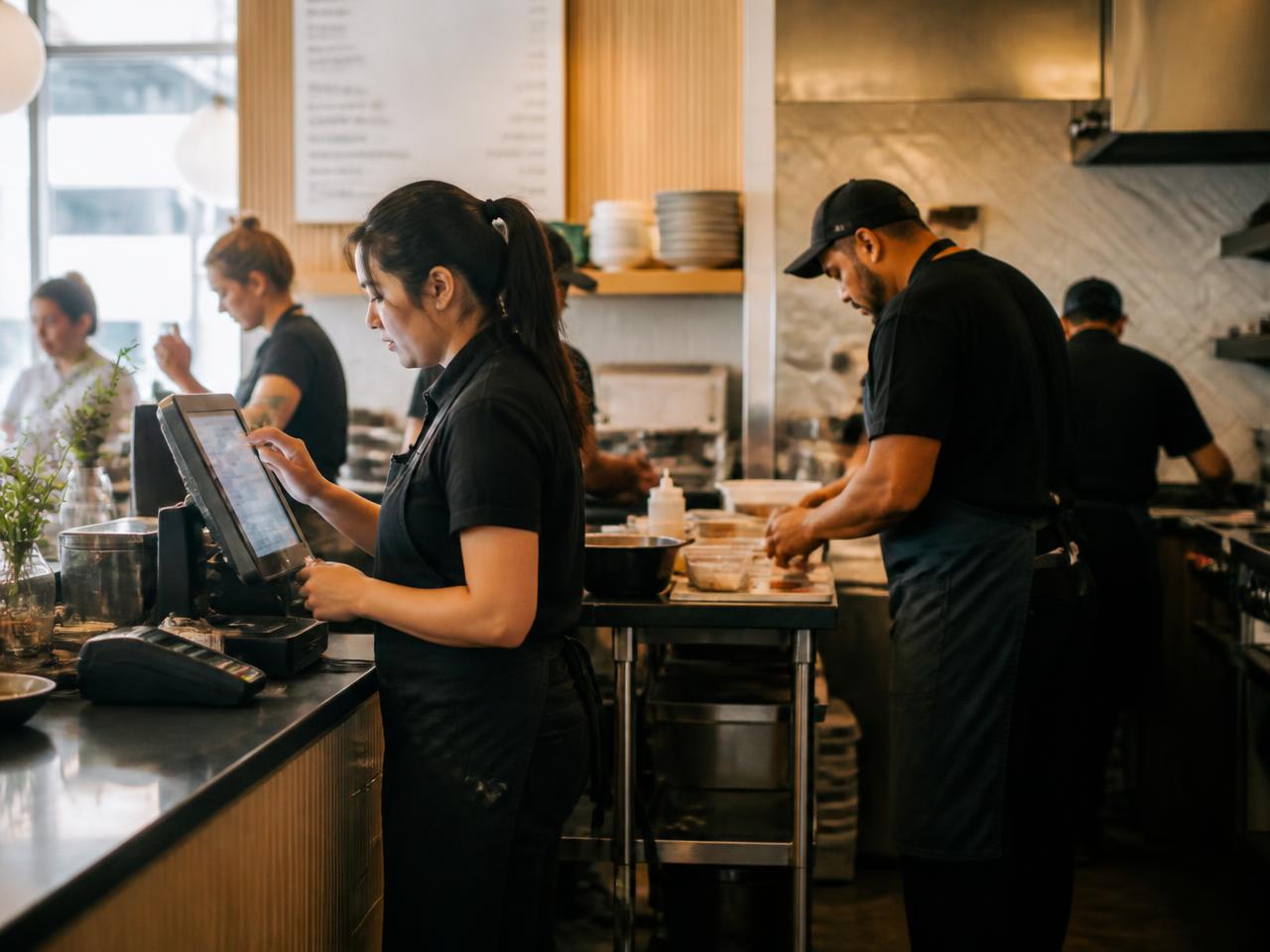
The connected workforce journey
Availability through tip distribution — one continuous operation, not eight separate tools.
- 01Availability & Time OffEmployees keep their own availability and time-off requests current.
- 02Smart ScheduleExpected demand and employee capability shape the proposed schedule.
- 03Published ScheduleManagers review, adjust and publish the schedule the team works from.
- 04My TeamEach employee sees their own shifts, open shifts and requests.
- 05Store Time ClockIn-store punches record the hours actually worked.
- 06Timesheet ReviewManagers compare scheduled to worked hours and correct exceptions.
- 07Payroll ApprovalAn explicit approval locks the period and prepares it for payroll.
- 08Tip DistributionApproved hours can inform how card tips are distributed.
One employee. One operational record.
The employee record follows the work.
FORNEBU maintains the operational relationship between the employee and the work — where they can work, what they can do, when they are available, when they are scheduled and the hours they actually worked — rather than treating each workforce function as an isolated record.
- 01Employee
- 02Locations
- 03Skills
- 04Availability
- 05Schedule
- 06Clock In
- 07Actual Hours
- 08Timesheet
Know who can actually work
Availability is more than a yes or no.
Employees can express how they want to work — not just whether they can. Recurring weekly availability captures the standing pattern, while week-specific availability handles the weeks that are different. Time-off requests are reviewed and approved before the schedule is built.
Available
The employee can be scheduled for that time.
Cannot work
The employee is not available and should not be scheduled.
Prefer to work
The employee would like to be scheduled for that time.
Prefer not to work
The employee can work but would rather not be scheduled for that time.
Recurring weekly availability
The employee's standing weekly pattern — the times they are generally available, prefer to work or cannot work.
Week-specific availability
Adjustments for a specific week when the standing pattern doesn't apply.
Employee record
Home Store
The restaurant location the employee primarily belongs to.
Employee record
Authorized Additional Stores
Other locations the employee is authorized to work at.
Employee record
Minimum / Target / Maximum Weekly Hours
Working-hour expectations that scheduling can respect.
Capability, not just headcount
Know what each employee can cover.
Skills carry an operational proficiency level, so the restaurant can see not only who is available, but what each available employee is capable of covering.
- Level 01
Trainee
Learning the skill; works with guidance.
- Level 02
Qualified
Able to perform the skill independently.
- Level 03
Advanced
Experienced and dependable in the skill.
- Level 04
Trainer
Able to teach the skill to other employees.
Skills and proficiency help Smart Schedule determine which available employees are capable of covering the restaurant's operational requirements.
Demand determines how many people are needed. Skills help determine who can cover it.
Explore FORNEBU Smart Schedule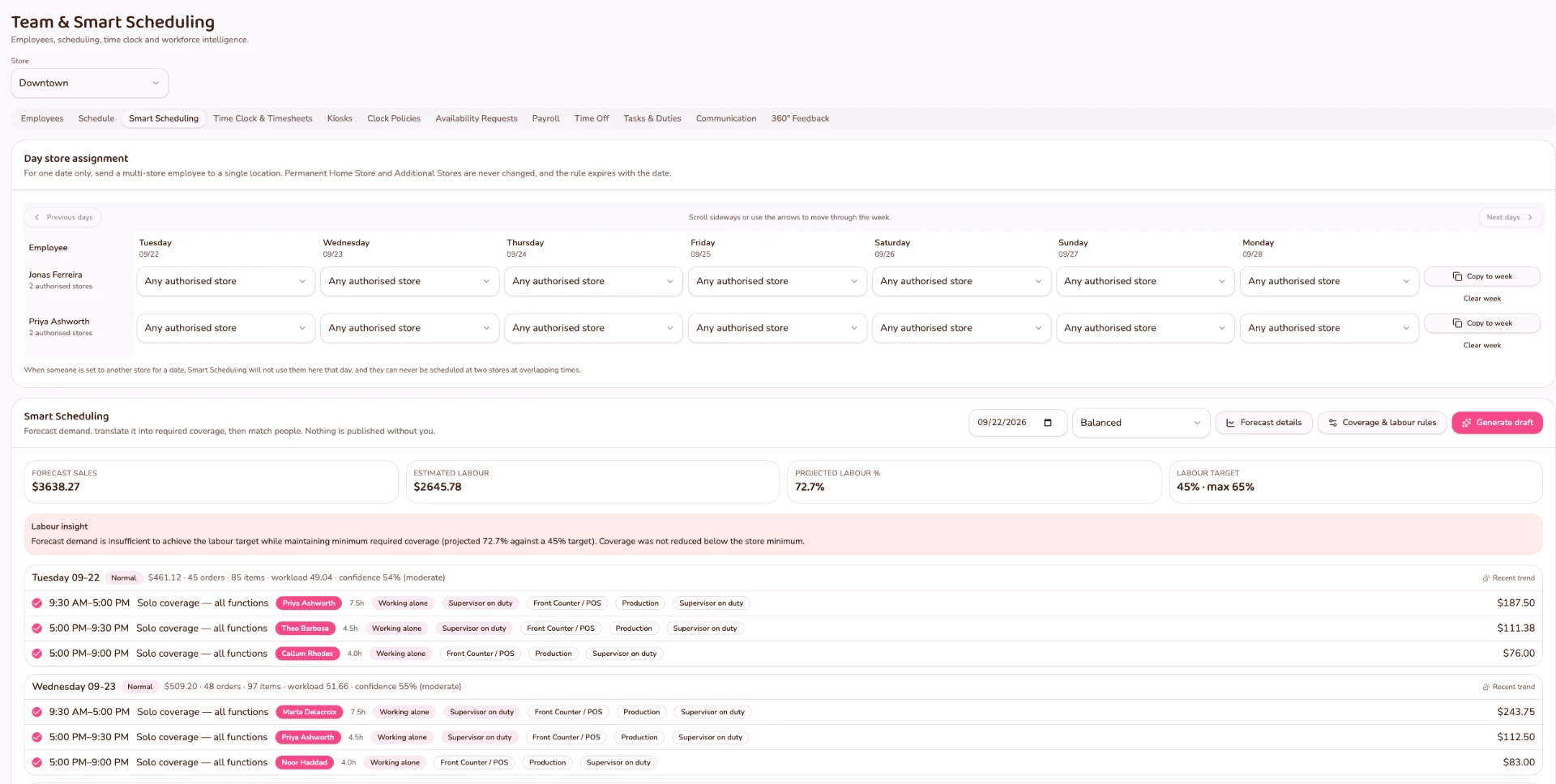
FORNEBU Time
Clock in to the restaurant, not another disconnected system.
FORNEBU Time runs as a shared time-clock kiosk in the restaurant. Employees clock in with a PIN, breaks are tracked and every time entry stays connected to the schedule it came from.
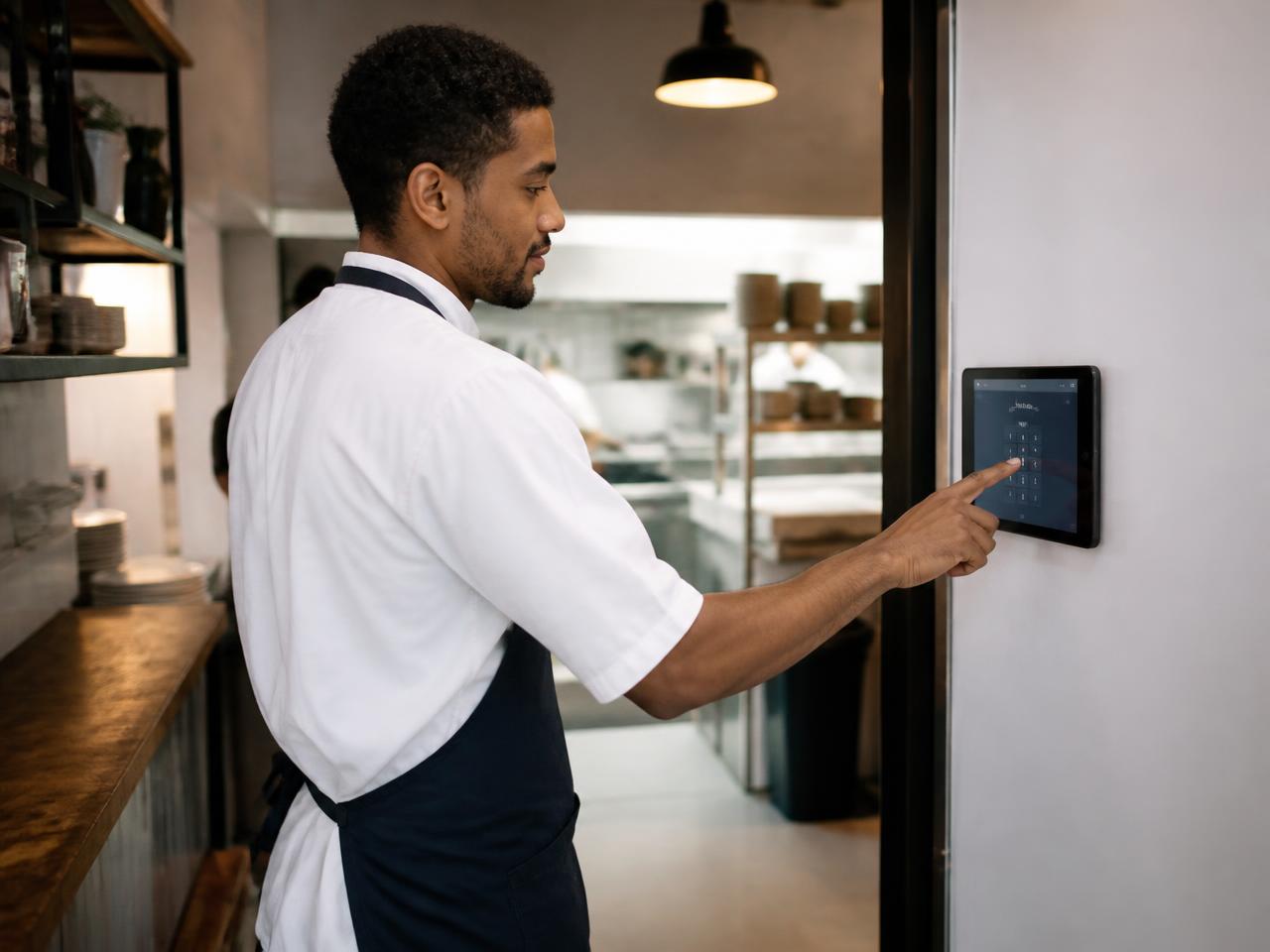
- Shared restaurant time-clock kiosk
- Employee PIN clock-in
- Clock in / clock out
- Break tracking
- Store-worked attribution
- Scheduled versus actual hours
- Early / late / unscheduled exceptions
- Manager-reviewed amendments
- Published Shift
- Clock In
- Break
- Clock Out
- Actual Hours
- Timesheet
The operating model
- Store-bound time-clock kiosks
- Employee PIN access
- Clock in, break, return, clock out
- Worked-hour records
- Manager review and corrections
- Audit history
- Store-specific kiosk management
Time entries are created at the store's own time clock. Employees cannot clock themselves in remotely from their own workspace, and every correction stays in the audit history.
The store worked matters
Labour follows where the employee actually worked.
An employee can belong to one home store and still be authorized to work at others. FORNEBU keeps the actual work location attached to the time entry so labour can remain attributable to the restaurant where the work occurred.
- Home Store
- Authorized Locations
- Actual Store Worked
- Timesheet / Labour
Scheduled → Worked
See what was planned. See what actually happened.
The published schedule doesn't disappear when the shift begins. FORNEBU connects the recommendation, manager review, published shift, clock-in, actual hours and timesheet into one visible thread.
- 01Recommended Schedule
- 02Manager Review
- 03Published Shift
- 04Clock In
- 05Actual Hours
- 06Timesheet
Scheduled vs. Actual
Compare what was planned with the hours that were actually worked.
Actual Store Worked
Labour hours remain attributed to the location where the employee actually worked.
Exceptions Stay Visible
Early arrivals, late arrivals and unscheduled work remain visible and accountable.
Manager Review
Amendments to time entries are reviewed and approved by a manager.
My Team
Everything employees need. Without exposing everything they don't.
Every employee gets their own secure FORNEBU workspace for the parts of the operation that belong to them — their schedule, their hours, their tasks and their messages. Employee discounts and policies follow the employee record, by role and location.
- My Schedule
- Open Shifts
- Availability
- My Hours
- Time Off
- Tasks
- Messages
- Feedback
Self-service is not register access.
Employee self-service is separate from the POS register and from management access. Giving someone their own schedule and hours does not give them the restaurant's operational controls.
My Team
Reserved for a production FORNEBU screenshot.
Timesheet Review & Payroll Approval
Reviewed is not the same as approved.
Worked punches become payroll-ready hours only after a manager reviews the timesheet, resolves the exceptions and explicitly approves it. Payroll approval stays a separate management control.
- 01Worked Punches
- 02Manager Timesheet Review
- 03Exceptions Resolved
- 04Payroll Approval
FORNEBU currently uses a biweekly Saturday-to-Friday payroll period. Once a period is approved, those records are locked and the approval identity and timestamp are retained.
FORNEBU is payroll preparation, review and approval infrastructure. It does not process payroll, calculate or file payroll taxes, or pay employees.
Timesheet Review
Reserved for a production FORNEBU screenshot.
Tip Distribution
Card tips distributed on approved hours.
Tip distribution starts from the confirmed card-tip amount and the hours the restaurant has already approved for payroll — so the allocation reflects the work that was actually approved.
- Confirmed Card Tips
- Processing Deduction
- Net Tip Pool
- Approved Employee Hours
- Tip per Hour
- Employee Allocation
- Finalization & Reporting
Managers and supervisors participate on the same hourly basis as other eligible employees. Owners are excluded, and cash tips stay outside the corporate distribution.
Tip distribution is configurable operational tooling for the restaurant's own approved policy. FORNEBU does not determine legal tip-distribution requirements.
Tasks & Duties
Turn the schedule into action.
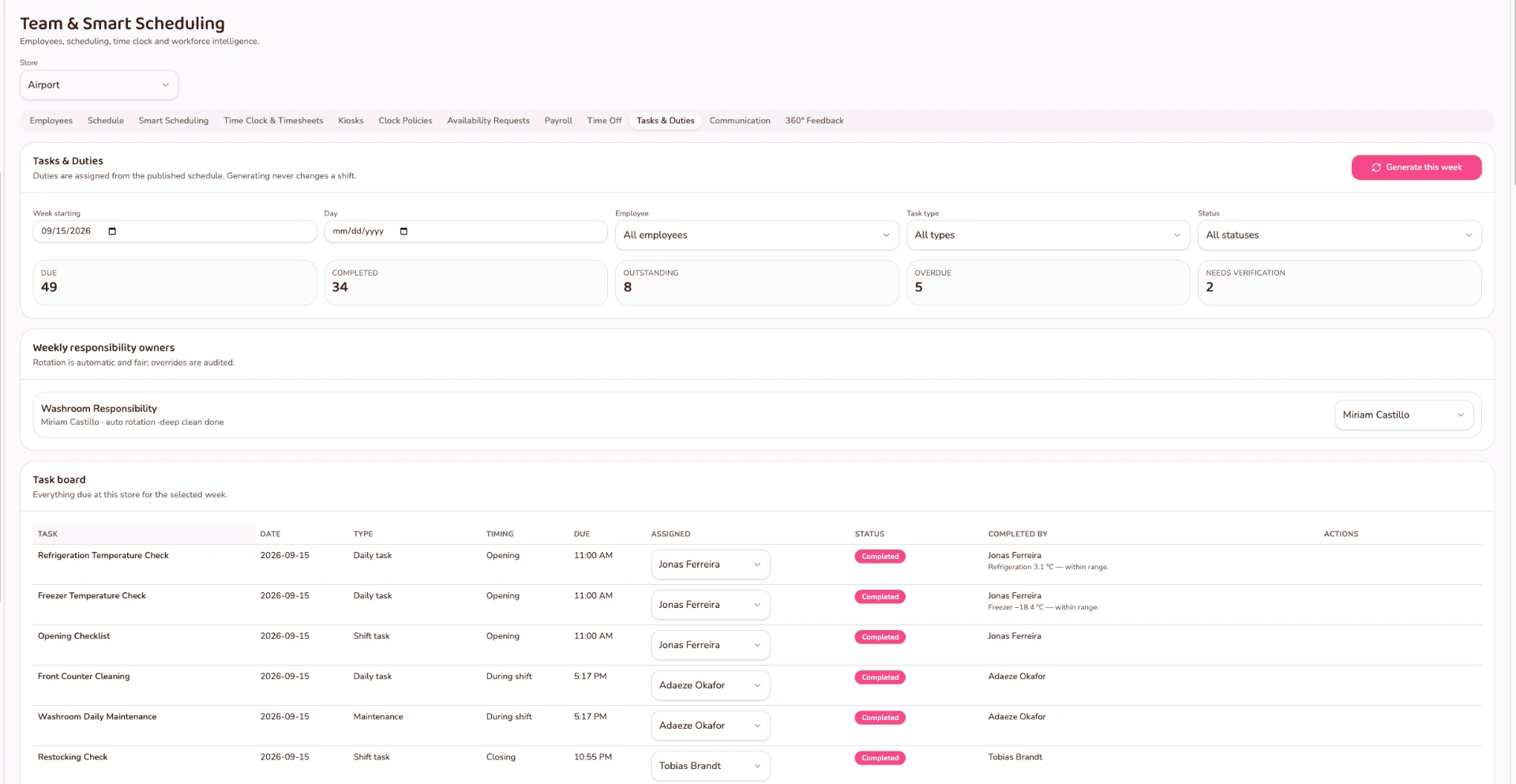
A published schedule tells people when to work. FORNEBU can also help tell the team what needs to get done.
- 01Opening
- 02During Shift
- 03Closing
- 04Recurring Responsibilities
- 05Verification
Responsibilities that follow the schedule.
FORNEBU can rotate recurring responsibilities among eligible team members and place the work on shifts they actually work — helping managers distribute recurring duties fairly without creating impossible off-shift assignments.
Restaurant team communication
Keep the team connected.
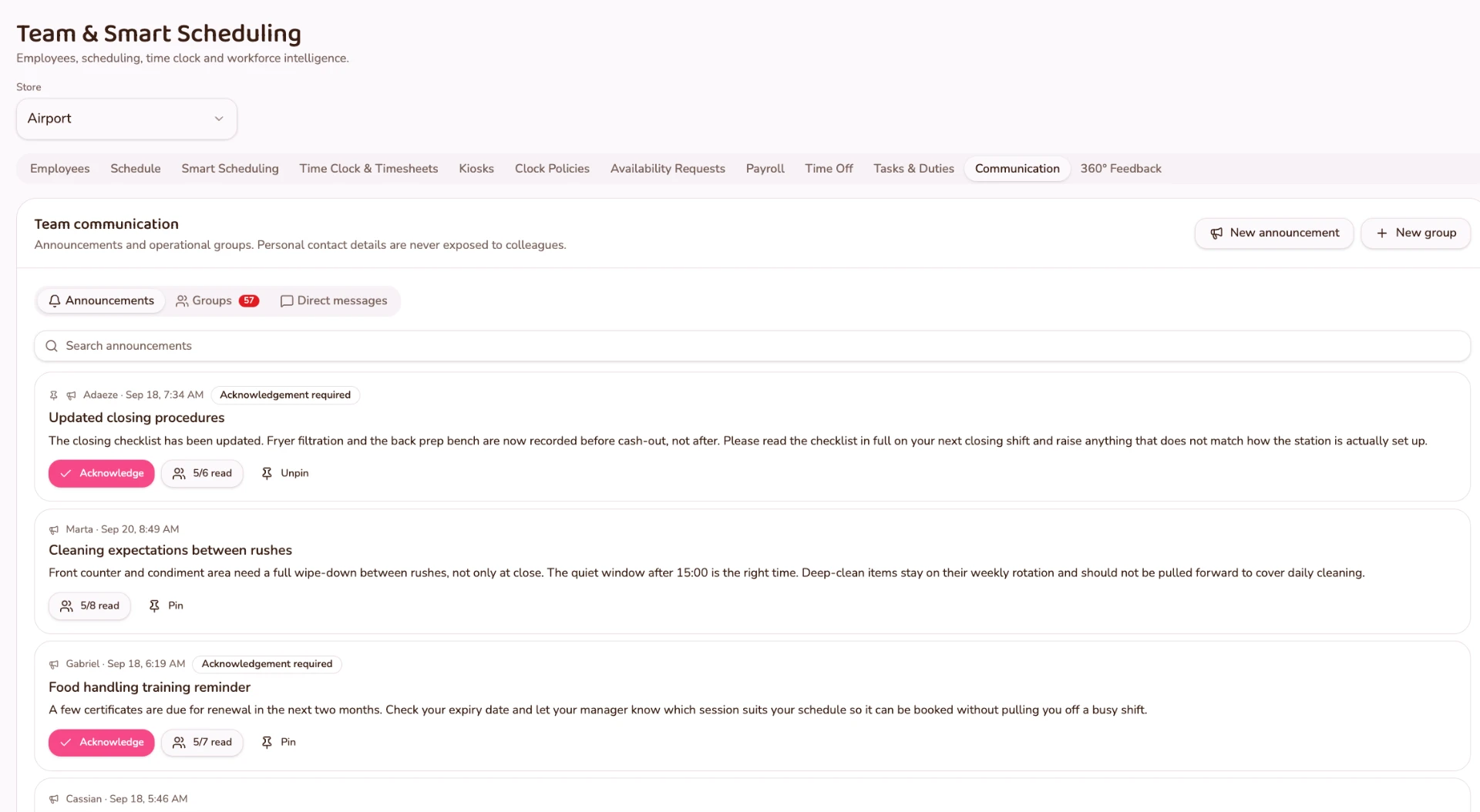
Announcements, team groups and direct messaging live alongside the people and schedules they relate to. Managers can communicate with the team without exposing employees' personal contact information.
Announcements · Groups · Direct Messages
Announcements
Operational announcements reach the store team where the schedules and people they relate to already live.
Groups
Team groups keep store, department and role conversations organized around the operation.
Direct Messages
Managers and team members can message directly without exchanging personal phone numbers.

FORNEBU Knowledgebase
The restaurant shouldn't depend on someone's memory.
Keep policies, operating procedures, training material, equipment documentation, videos and other operational resources organized in one place — so the team can find the information they need without searching through disconnected systems.
The Knowledgebase lives inside the restaurant's own internal FORNEBU workspace. Access can be controlled according to FORNEBU permissions and how the restaurant chooses to configure it.
Knowledgebase
Reserved for a production FORNEBU screenshot.
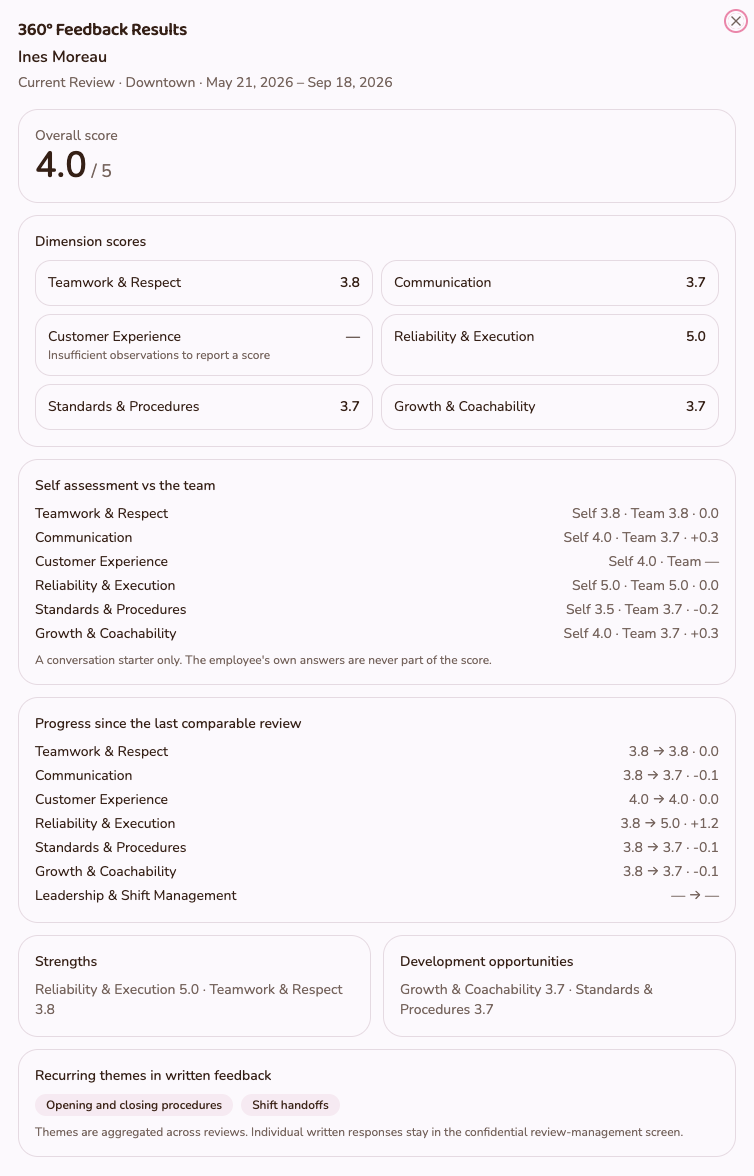
360° Feedback
See more than hours worked.
Self-assessment and peer feedback across clear dimensions — teamwork, reliability, communication, customer service, operational knowledge and leadership — using weighted questionnaires.
- Teamwork
- Reliability
- Communication
- Customer Service
- Operational Knowledge
- Leadership
- Results appear only after the minimum number of reviewers is reached.
- Strengths and development themes, shown as progress over time.
- No employee rankings. No leaderboards.
The employee being reviewed does not see who submitted individual confidential feedback.
Anonymized aggregate results normally require the configured minimum reviewer threshold before they become visible.
Connected to the restaurant
Workforce shouldn't live beside the POS. It should understand the operation.
Because Workforce is part of the same operating system as Intelligence, Smart Schedule and Time, scheduling starts from what the restaurant expects — and ends with what actually happened.
- FORNEBU Intelligence
- Expected Demand
- Required Coverage
- FORNEBU Workforce
- Qualified + Available Employees
- FORNEBU Smart Schedule
- Published Shifts
- FORNEBU Time
- Actual Hours
- Timesheet Review
- Payroll Approval
- Tip Distribution
This is what separates FORNEBU Workforce from a standalone employee scheduling application: the demand, the people, the schedule and the actual hours all live in one system.
Explore FORNEBU IntelligenceThe people who run the restaurant should be connected to the system that runs it.
Bring employee records, availability, skills, scheduling, time and actual worked hours into the same restaurant operating system.